A client came to me frustrated.
“I’ve optimised my LinkedIn profile three times,” she said. “I still never hear from recruiters.”
Most advice on how to get found by recruiters focuses on optimising your profile for applications. That advice is not wrong, but it addresses the wrong problem. Recruiter search works differently from application screening, and if you do not understand the difference, you can have a perfectly optimised profile that is still functionally invisible to the people who could hire you.
I looked at her profile. It was well prepared for applications, but completely wrong for search.
When recruiters search for candidates, they are not comparing you to 200 other applicants. They are asking one question: Can this person solve the problem I have right now?
That requires different optimisation.
In Part 2 of this series, I explained why applying puts you in competitive brackets and introduced the Bypass Entirely strategy.
This article covers what actually happens when recruiters search for candidates, and how to position yourself to be found.
Key Takeaways (TLDR): How Do Recruiters Find Candidates?
- Recruiter search and application screening are two structurally different processes that require different optimisation.
- When you apply, hiring platforms rank you against other applicants. When recruiters search, they are matching candidates to a specific need.
- LinkedIn Recruiter offers more than 40 advanced filters. Your visibility depends on how well your profile matches the terms recruiters actually use.
- Three elements determine how visible you are in recruiter searches: keyword match, recruiter-specific signals, and activity signals.
- Your headline and skills section carry the most weight in search results. Generic headlines like “Experienced Manager” are functionally invisible to recruiter search.
- Activity on LinkedIn directly affects your search ranking. Recruiters rarely look past the first page of results.
- You do not need to become a LinkedIn influencer. Consistent, relevant engagement is enough to move you up in search results.
- Being findable is step one. Being credible enough to contact is step two.
Table of Contents
Applications vs Recruiter Search: A Structural Difference
When you apply through a job board or company website, a hiring system ranks your resume or CV against every other applicant. You are in a comparison market.
When recruiters search for candidates, they are working backwards from a need.
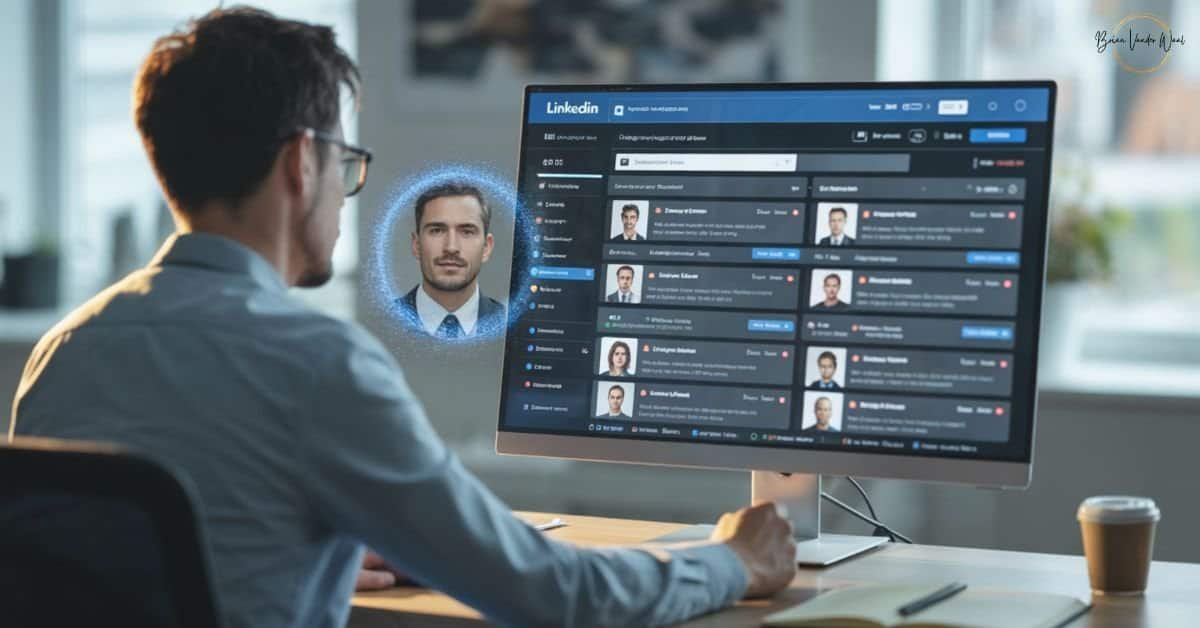
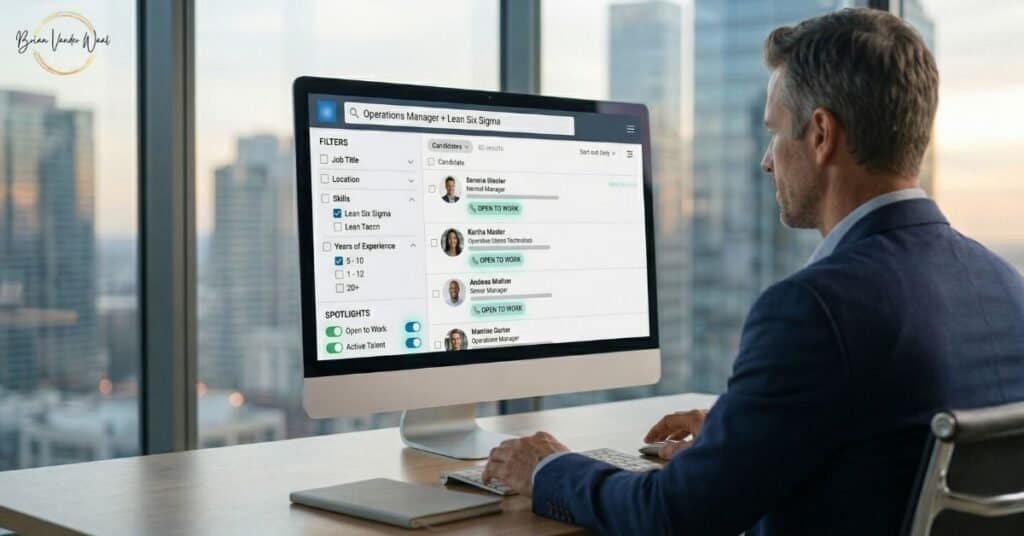
For example, a recruiter might be thinking: “I need someone with Lean Six Sigma experience who can restructure operations in manufacturing.” They open LinkedIn Recruiter, Manatal, or SeekOut and enter their criteria. The system shows them profiles that match.
They see candidates ranked by relevance to their filters, not sorted into the comparison brackets I described in Part 1 of this series.
At this stage, recruiters are not comparing you to other candidates. They are asking one question: can you solve this specific problem?
Once you understand this shift, Strategy 3 (Bypass Entirely) from Part 2 becomes the most practical move available to you. Yet most candidates still miss the structural difference.
Applications force you into competition. Recruiter search positions you against a specific need.
Applications create comparison markets. Search creates relevant markets.
Optimising for one does not optimise you for the other.
How Recruiter Search Tools Work
Understanding how recruiters find candidates starts with understanding the tools they use.
LinkedIn Recruiter is the most widely used platform and offers more than 40 advanced search filters, including:
Primary filters:
- Job title (exact or similar titles)
- Location
- Years of experience
- Specific skills
- Industry
- Company
“Spotlight” filters (these matter more than most people realise):
- “Open to Work” — candidates who have signalled they are looking
- “Active Talent” — candidates who have been active on LinkedIn recently
- “Interested in Your Company” — people who have engaged with the company’s posts
Here is what this means for you:
When a recruiter searches “Operations Manager” + “Lean Six Sigma” + “UK”, they see every profile that contains those terms, sorted by relevance and activity.
If your profile does not contain the terms recruiters commonly search for, your chances of appearing drop dramatically.
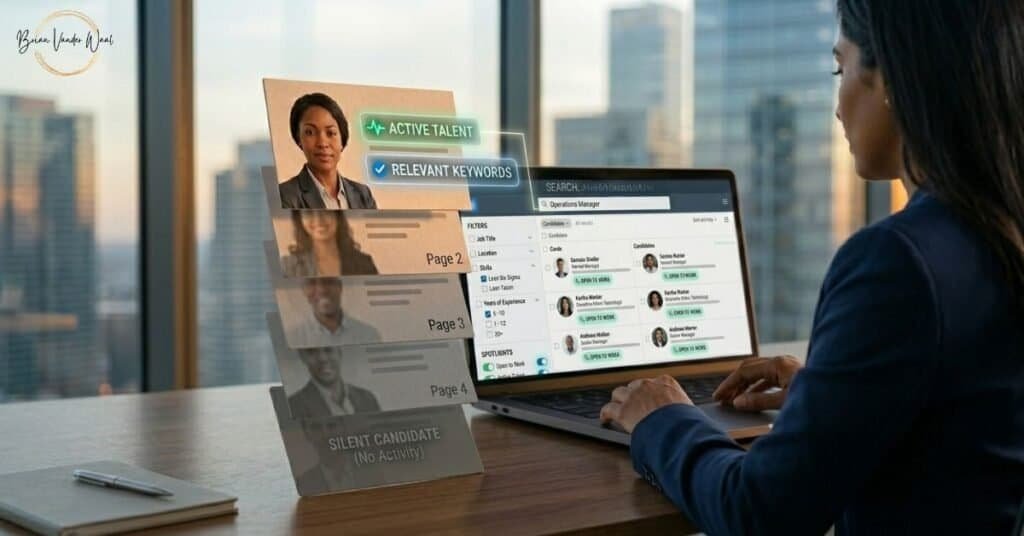
If it does contain them, but you have not been active on LinkedIn recently, you will appear on page 3 or 4 of the results.
Recruiters spend under 10 seconds deciding whether a profile is worth contacting. Most do not look past the first page.
The Three Elements That Determine Search Visibility
1. Keyword Match
Recruiter searches scan your entire profile: headline, summary, experience descriptions, and skills section. However, not all sections carry equal weight. The following sections tend to carry the most weight.
Highest Priority
- Your headline
- Your skills section
- First 2 to 3 lines of your summary
Secondary Priority
- Experience section job titles
- Experience section descriptions
- Certifications
Example of a Weak vs a Strong Headline
A weak headline looks like this: “Operations Manager at ABC Manufacturing.”
A strong headline looks like this: “Operations Manager | Lean Six Sigma | Process Improvement | Manufacturing Operations.”
The second version appears in four different searches. The first appears in one.
Common Mistake
Generic headlines like “Local Authority Officer” or “Experienced Manager.”
Recruiters search for specific titles and skills, not general terms. If you want to get noticed by recruiters, your headline is the single highest-leverage change you can make.
2. Recruiter-Specific Signals
“Open to Work” setting (recruiter-only mode)
Profiles with this setting enabled receive more recruiter InMails. Set it to “Recruiters Only” if you are currently employed.
Profile completeness
Incomplete profiles rank lower. Recruiters can filter by “complete profiles only.”
Connection proximity
The closer you are to a recruiter’s network, the higher you rank. Connecting with recruiters in your industry directly improves your visibility.
Common Mistakes:
- Adding only 10 to 15 skills when you can list up to 50. Each skill is an additional search term.
- Not pinning your top 3 “heavy hitter” skills for your target role.
- Hiding your availability by not enabling “Open to Work” in recruiter-only mode.
3. Activity Signals
LinkedIn’s “Active Talent” spotlight highlights candidates who are active on the platform. Profiles with recent activity rank higher in search results.
This is one of the most overlooked factors in how recruiters use LinkedIn to find candidates. It is not just about what your profile says. It is about whether the platform surfaces you at all.
What counts as activity:
- Posting content (it does not need to be profound, just relevant to your field)
- Commenting on others’ posts
- Sharing insights or articles
- Profile updates, even small ones
Real Example From My Practice
One of my clients optimised her LinkedIn headline and skills section, then committed to commenting on 3-5 industry posts per week. Within six weeks, she received her first recruiter InMail. Within three months, she had five.
This approach does not bring instant results, but it is significantly faster than waiting for applications to surface you.
Common Mistake
If your last post or comment was six months ago, you are signalling to the algorithm and to recruiters that you are not actively engaged.
You do not need to become a LinkedIn influencer. Just show up consistently.
What This Looks Like in Practice: Two Real Examples
Client A: Facilities Manager
Adriana (name changed) came to me with a common problem. Her headline simply read “Facilities Manager.” She had only 12 skills listed, and her last LinkedIn activity was 4 months ago.
She had not enabled “Open to Work” because she was currently employed but passively looking.
We made four changes. First, we expanded Adriana’s headline to “Facilities Manager | Building Operations | HVAC Systems | Compliance & Safety | Vendor Management.”
Second, we added 25 additional relevant skills covering building management, energy efficiency, and compliance.
Third, we enabled “Open to Work” in recruiter-only mode.
Fourth, she committed to commenting on 2 to 3 facilities management posts per week.
The results followed a predictable pattern. In Weeks 1 to 4, she optimised her profile and established consistent activity.
Week 7 brought her first recruiter InMail.
By Week 11, she had received her second and third recruiter contacts.
In Week 14, she interviewed for a role that the company had not yet posted publicly.
Client B: Learning & Development Specialist
Joseph’s headline read “L&D Specialist at [Company Name],” he had a decent 32 skills listed, and he posted about once a month. However, he had also not enabled “Open to Work.”
We took a similar approach but accelerated the activity component.
Joseph’s new headline became “Learning & Development Specialist | Instructional Design | Training Programme Development | Employee Onboarding | LMS Implementation.”
We added 18 more skills covering adult learning theory, needs analysis, and evaluation.
He enabled “Open to Work” in recruiter-only mode and increased his activity to commenting on L&D content 3-4 times per week, plus sharing 1 insight per fortnight.
His timeline was faster. Weeks 1 to 3 covered optimisation.
By Week 5, his profile views increased noticeably.
Week 8 brought his first recruiter InMail, followed by a second contact in Week 9.
By Week 12, he had an interview scheduled.
Your Action Plan: How to Get Found
If you are currently getting filtered out when you apply, shift some of your energy to being found instead.
Here is how to get recruiters to find you on LinkedIn and across other platforms.
This week
- Update your headline with 3 to 4 searchable terms (job title plus key skills).
- Expand your skills section to 30-50 relevant skills.
- Enable “Open to Work” in recruiter-only mode if you are employed.
- Commit to activity. Comment on 3 posts this week in your industry.
This month
- Review your summary. Does it contain the exact titles and skills recruiters search for?
- Update experience descriptions. Add keywords naturally, not artificially.
- Connect with 20 recruiters in your industry. No message is needed.
Ongoing
- Show up weekly. Post, comment, or share something relevant at least once a week.
Why This Works
You are not manipulating anything. You are making your actual qualifications visible to recruiters who are actively looking for them.
Recruiters want to find you. Their job is easier when strong candidates appear in their searches. But they can only contact people whose profiles contain the terms they are searching for.
The purpose is not to add keywords for the sake of it. Instead, it is about translation.
Your experience might be highly relevant, but if you do not describe it in the language recruiters search for, it is functionally invisible.
What to Do Next
In this post, I focused on helping you understand how recruiters find candidates. But being findable is only step one.
In Part 4 of this series, I cover the Authenticity Premium: why evidence of real work now matters more than a polished CV or resume, and what that looks like in practice.
Evidence of real work is important because once recruiters find you, credibility is what determines whether they reach out.
If you have not read Part 1 yet, it explains why AI hiring platforms now rank candidates against each other rather than just against the job description. It also introduces the comparison bracket problem, which the rest of this series solves.
Part 2 covers the three strategies for escaping the wrong bracket: Bracket Down, Signal Up, and Bypass Entirely.
Want More Like This?
I write about what is changing in hiring: the patterns I see working with real clients, not generic advice. If this was useful, subscribe to my website newsletter and my LinkedIn newsletter so you do not miss any tips or updates.